Redis Cluster Implementation
Redis Cluster is made up of multiple Redis instance.
Redis is to solve the bottleneck of single redis instance.
- Increase memory to store more data
- Increase More Bandwidth to accept more concurrency request
Implementation
1) How is data stored?
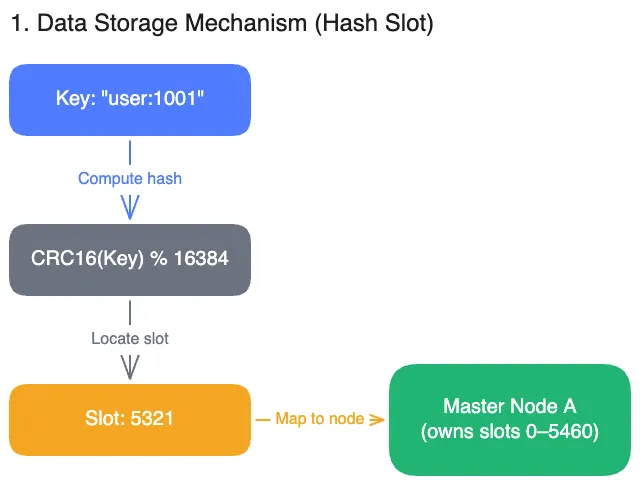
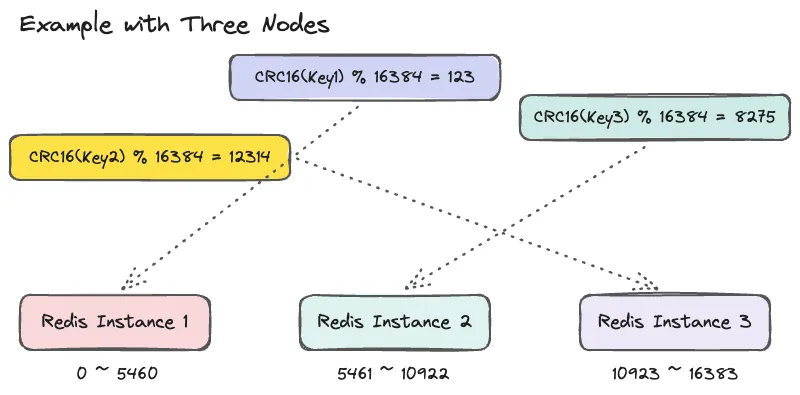
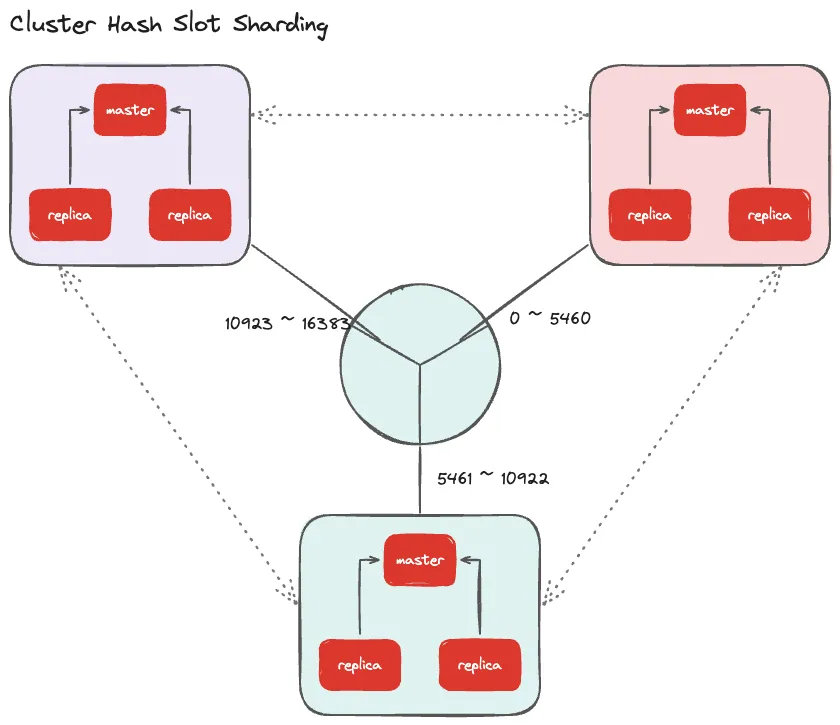 Redis Cluster introduces the concept of hash slots, dividing the entire dataset into 16,384 slots. Each master node in the cluster is responsible for a portion of these slots.
When storing a key, Redis first computes a CRC16 value of the key, then takes it modulo 16,384 to determine which slot it belongs to, and stores the data on the node responsible for that slot.
The benefit is that scaling up or down is very easy. To add a new node, you just “hand over” some slots from the other nodes to the new one. There’s no need to recalculate the location of all the data, as you would with traditional hashing.
2) How do nodes communicate with each other?
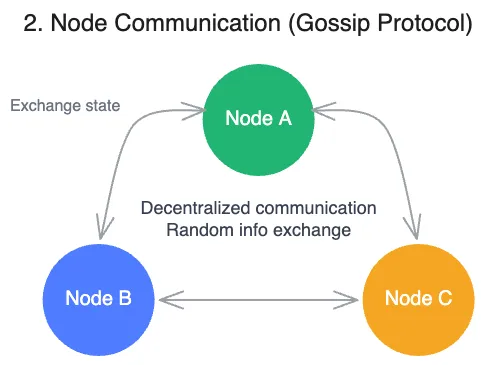 Nodes in the cluster are decentralized; there is no “central brain.” They communicate with each other using the Gossip protocol.
Each node periodically picks a few random neighbors and exchanges status information with them, such as “which slots I’m responsible for” and “whether I’m still alive.” This way, within a short time, all nodes in the cluster reach consensus and know the topology of the entire cluster.
3) How does a client find data?
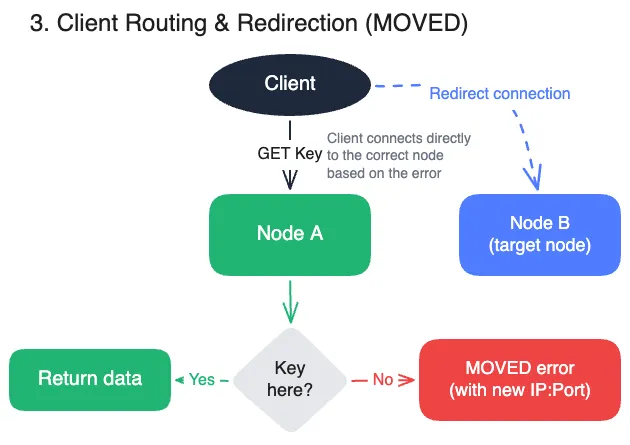
A client can connect to any node in the cluster. If the key it’s looking for happens to be on that node, the node returns it directly. If not, the node doesn’t act as a proxy to forward the request. Instead, it returns a MOVED error, telling the client: “This key isn’t mine; go connect to the node at IP:Port.”
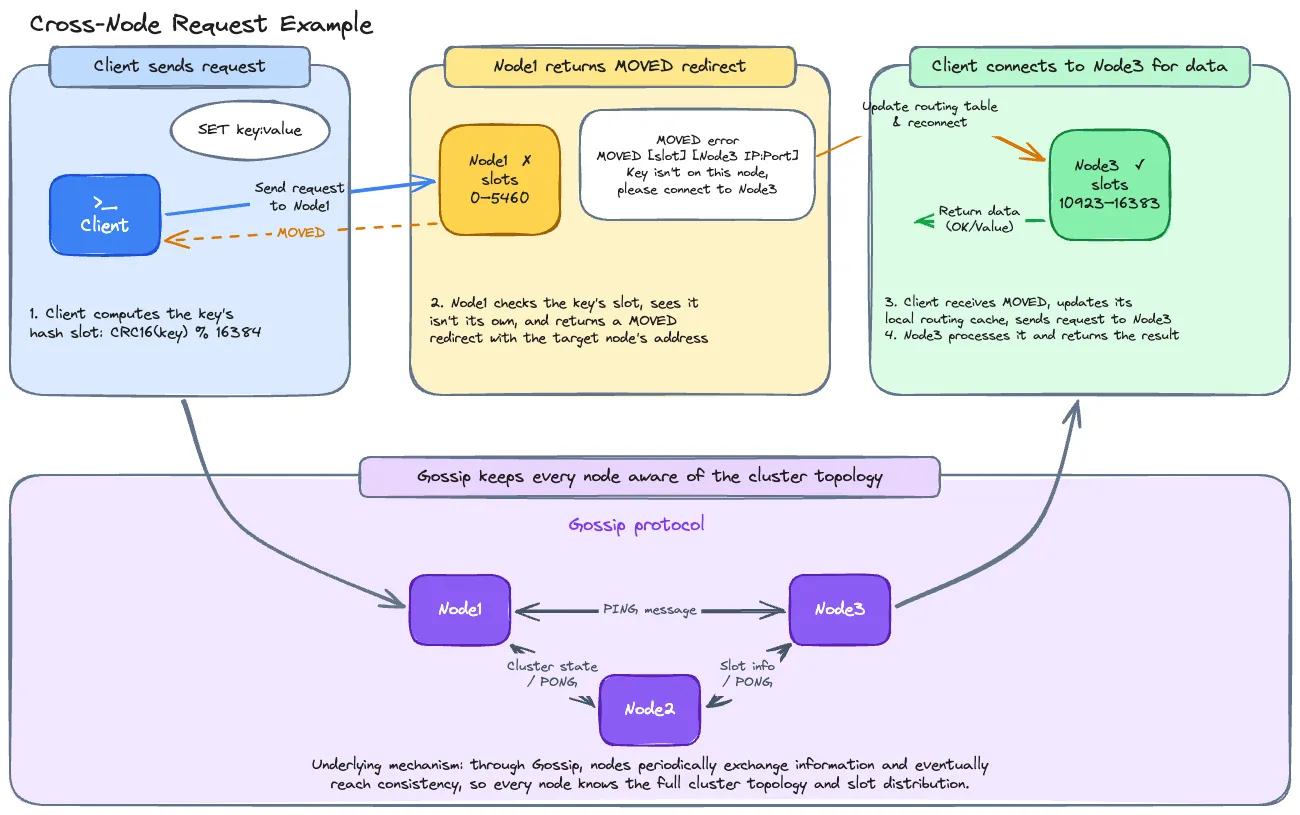 Example: Cross-Node Request
If the client is connected to Node1 but needs the key user:1001 stored on Node3, the lookup goes like this:
- The client uses CRC16 to hash
user:1001to 12345, and computes the slot: 12345 % 16384 = 12345. - The client is connected to Node1, so it sends
GET user:1001to Node1. - Node1 sees that the key belongs to Node3 and returns a MOVED error with Node3’s IP and port.
- The client uses that target node information to connect to Node3.
- The client sends
GET user:1001to Node3. - Node3 finds the value and returns the result.